
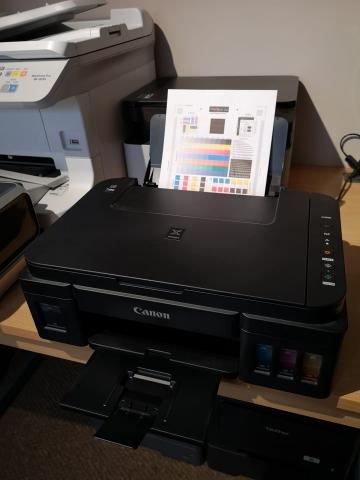
Case Study: Fixing a Canon Pixma G3500 Waste Ink Error at 6K Prints
Machine Profile: Canon Pixma G3500 MegaTank Inkjet Printer
Total Page Count: 6,000 prints
Reported Fault: Control panel displaying "Waste Ink Counter Near Full" / Canon Error Code B500
The Problem:
Although the Canon G3500 is rated to deliver 7,000 black and 6,000 colour pages from its initial ink tanks, heavy print cycles and automated printhead cleanings can fill the internal waste ink absorbers prematurely. When the digital counter safety threshold is reached, the printer triggers a B500 error and halts all printing operations.
Our Repair Process:
-
Hardware Inspection & Clean: The printer was systematically dismantled to access the lower reservoir. The saturated ink pads were thoroughly cleaned, dried, and treated.
-
Chassis Lubrication: Internal drive gears and carriage tracks were cleaned and oiled to ensure quiet, smooth operation.
-
Digital Counter Reset: Using specialized service software, the firmware waste ink logic counter was reset back to factory defaults.
Professional Printer Repairs in Leeds & Bradford
Don't replace your printer just because an error code appears on the screen. Most inkjet and laser printer issues can be economically resolved with a routine service.
For trusted, local office equipment and home printer maintenance across Leeds, Bradford, and the wider Yorkshire region, call Yorkshire Office Machines today.
-
Landline: 0113 229 6770
-
Mobile: 07951 951 330